
Fenrax-1
A live, collaborative tool for aviation agencies.
Fenrax-1 shows every partner agency's aircraft, live and planned, on one map. Units plan joint operations together and hand crews a brief generated from the plan.
The problem
Agencies share the sky. They don't share the picture.
Split fleets
Response aircraft belong to city, county, state and federal agencies. Each one tracks only its own.
Found by phone
When a call needs a hoist, a tanker or a FLIR helicopter you don't own, coordinators work the phones to learn who is up, on alert or down.
Plans in PDFs
Flight schedules and joint plans live in inboxes. No one sees tomorrow's coverage across the region, and no one plans in the same place.
Live map
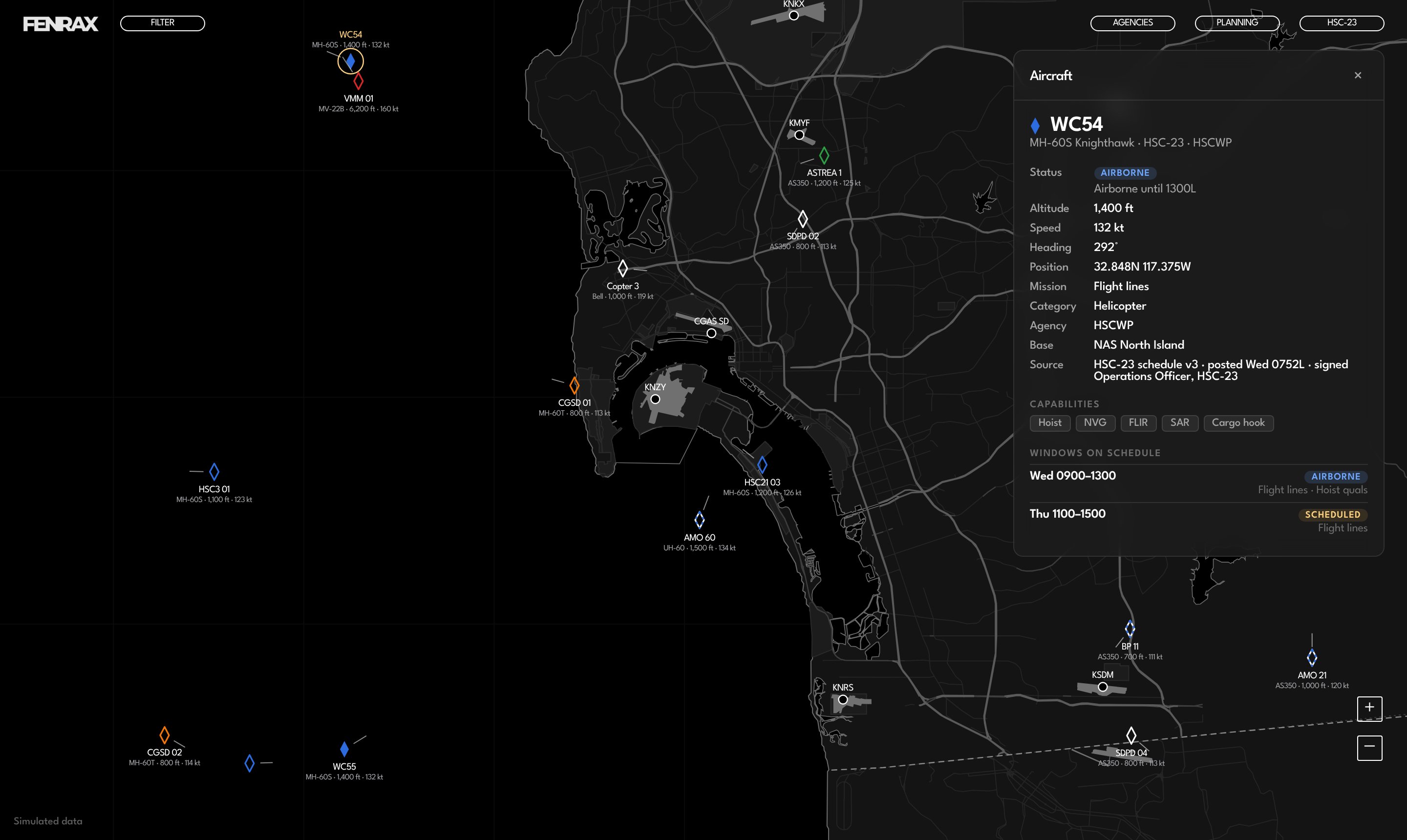
Who is up, where, and what they can do
Live positions come from ATC and ADS-B and are matched to each agency's posted schedule.
- Agencies, units and aircraft in one list, with live and planned counts
- Each aircraft's capabilities: hoist, NVG, FLIR, water, retardant, radar
- No contact and unscheduled flags when the track and the schedule disagree
- Filters by level, aircraft type and agency
Schedules
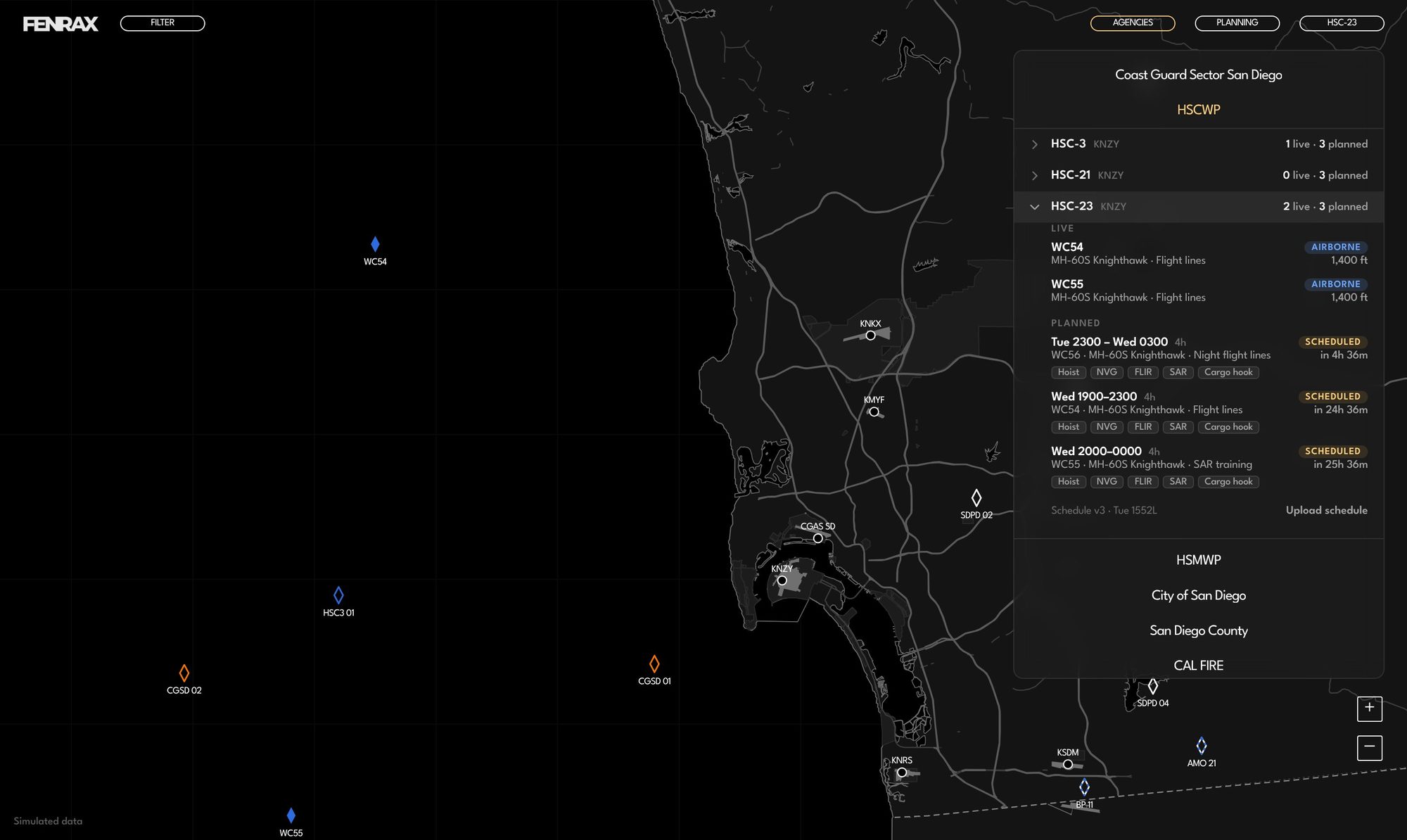
Upload the schedule. Every partner sees it.
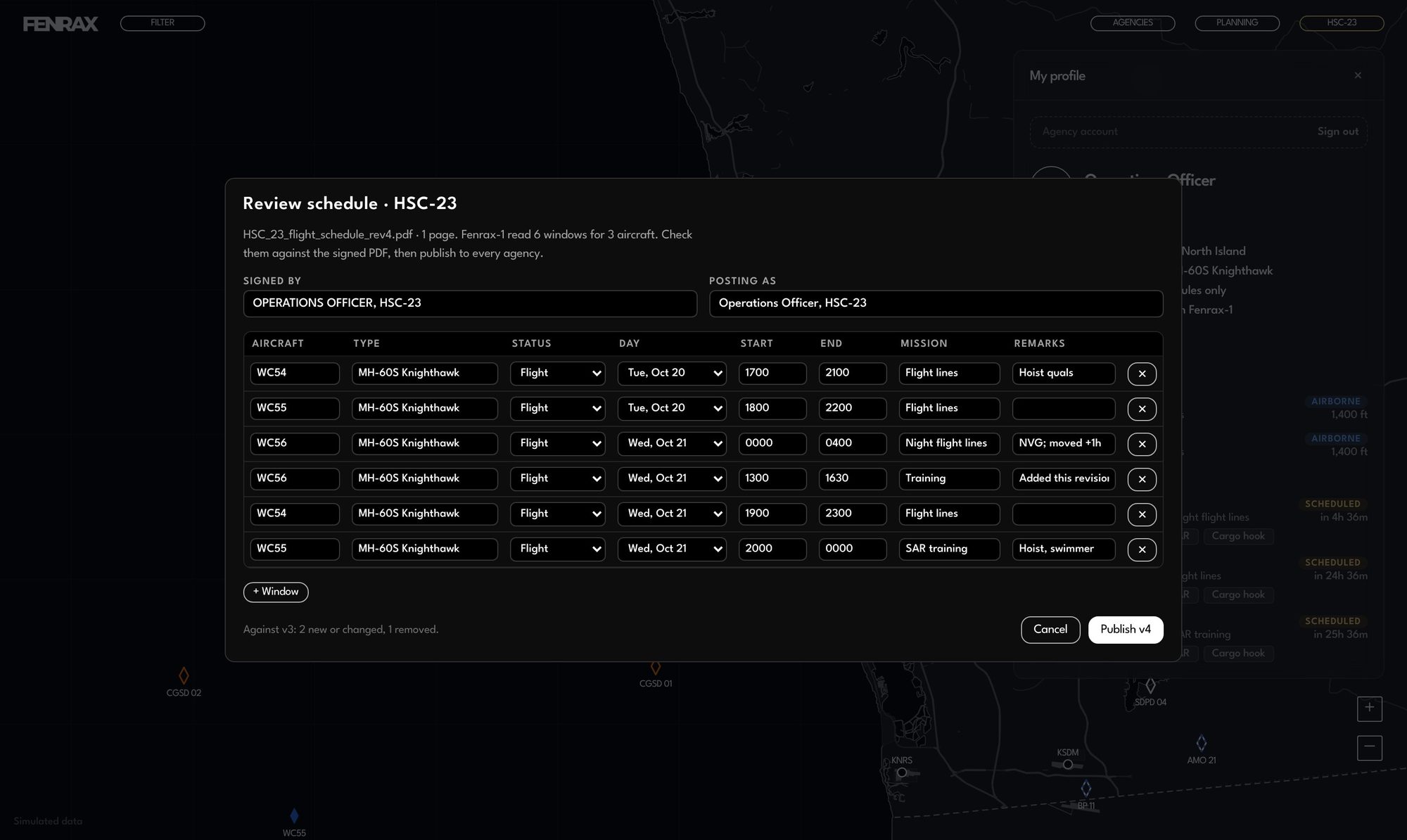
Units upload their flight schedule as a PDF whenever it changes. Fenrax-1 reads each aircraft, type, status, window and mission into a review table. The unit checks it, publishes to every partner, and every version is kept.
- Warnings when a PDF names a different unit or carries old dates
- Change count against the last version before you publish
Planning
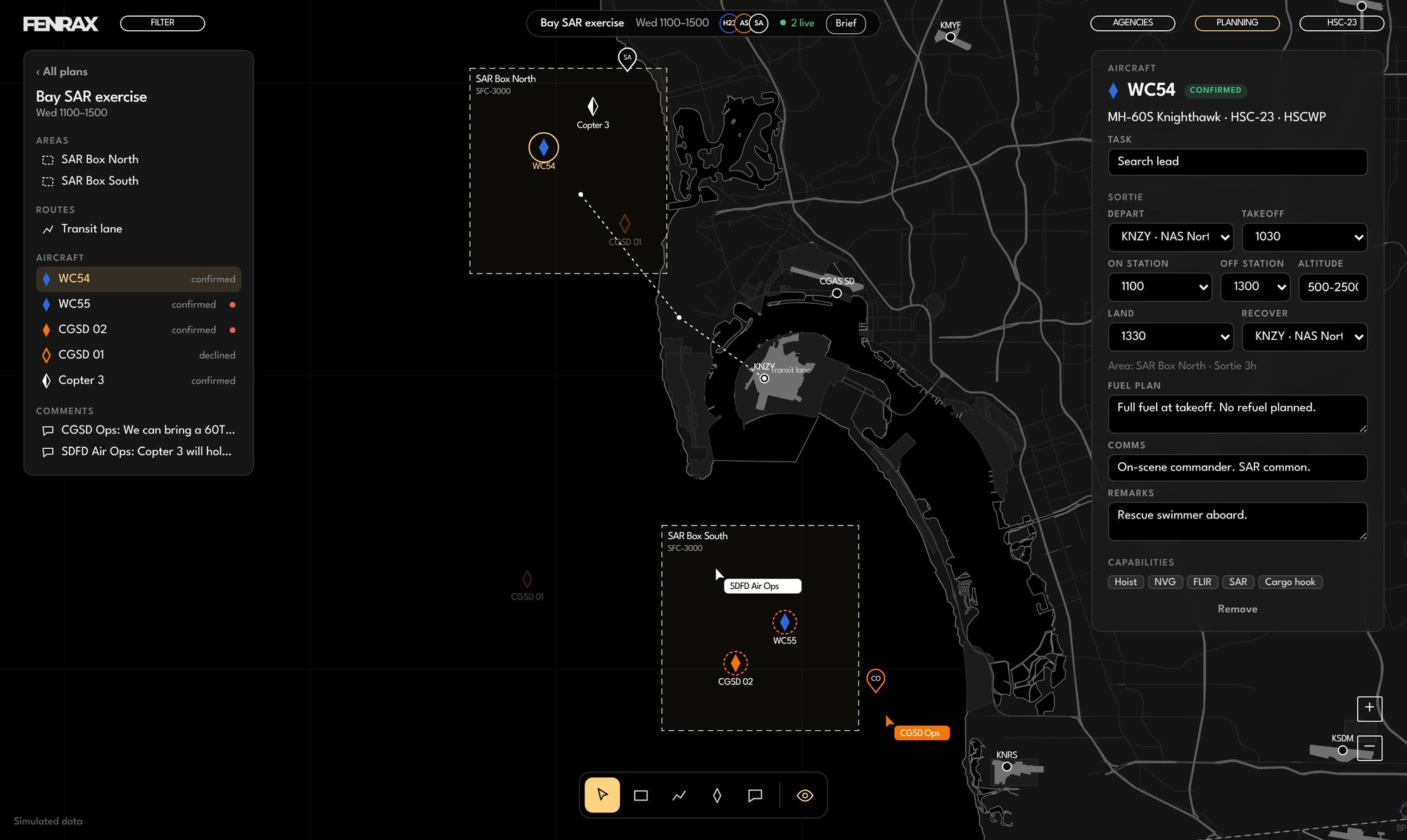
Plan joint operations on one canvas.
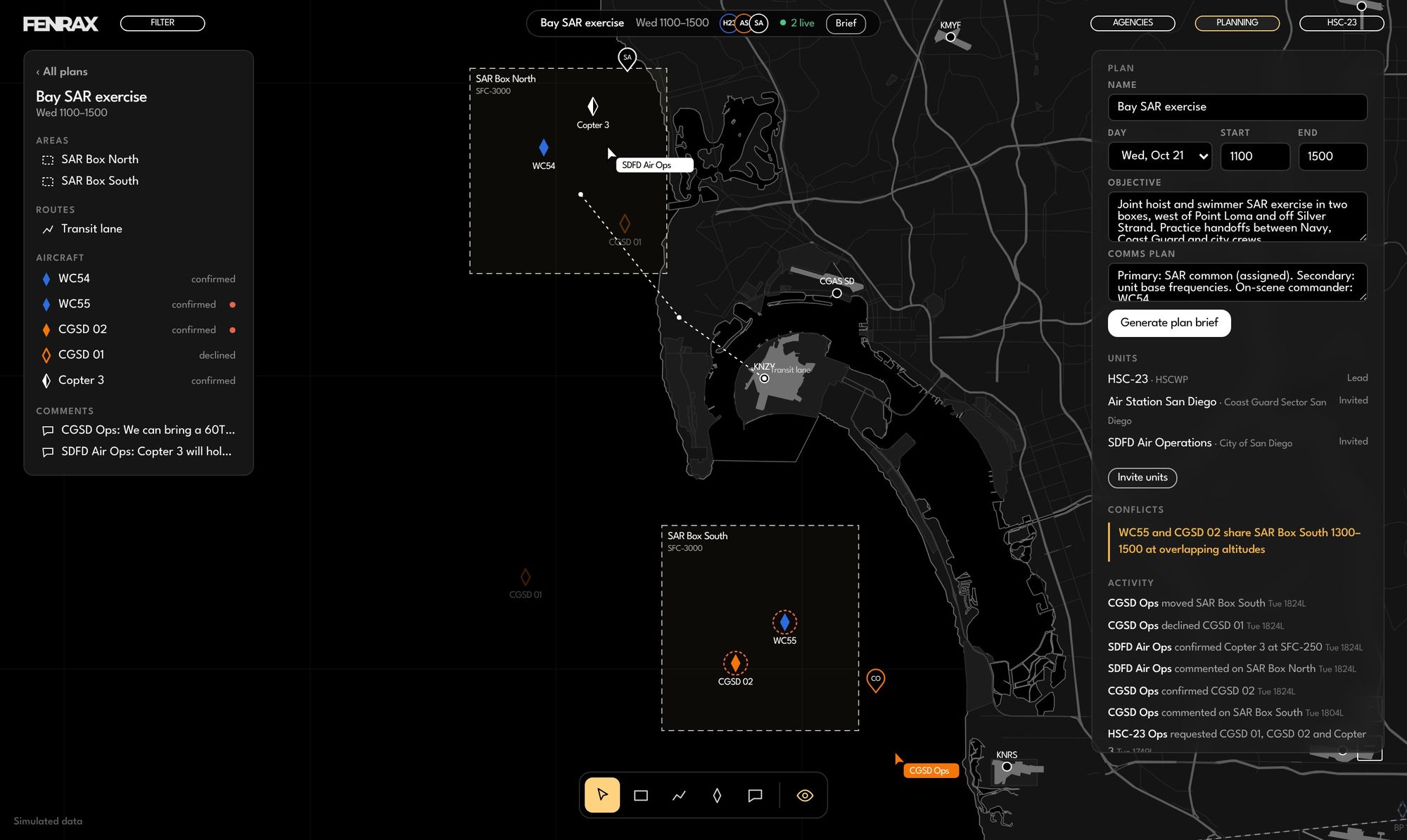
A unit starts a plan and owns it. It invites whole agencies or single units, and everyone works in the plan at once, the way design teams work in Figma.
Build on the map
Draw operating areas with altitude blocks, lay routes, place aircraft and leave comments where they apply. Keyboard shortcuts like a design tool.
Request and confirm
Your unit's aircraft join confirmed. A partner's aircraft join as requests, and that unit accepts or declines. Each answer lands in the activity feed.
Catch conflicts early
Fenrax-1 flags aircraft down for maintenance, aircraft already scheduled, shared airspace at overlapping altitudes, and long sorties with no refuel planned.
Sortie details
Every aircraft carries its own brief
- Departure base and takeoff time
- On-station window, area and altitude block
- Landing time and recovery base
- Fuel plan, comms and remarks
Plan brief
Every plan becomes a brief.
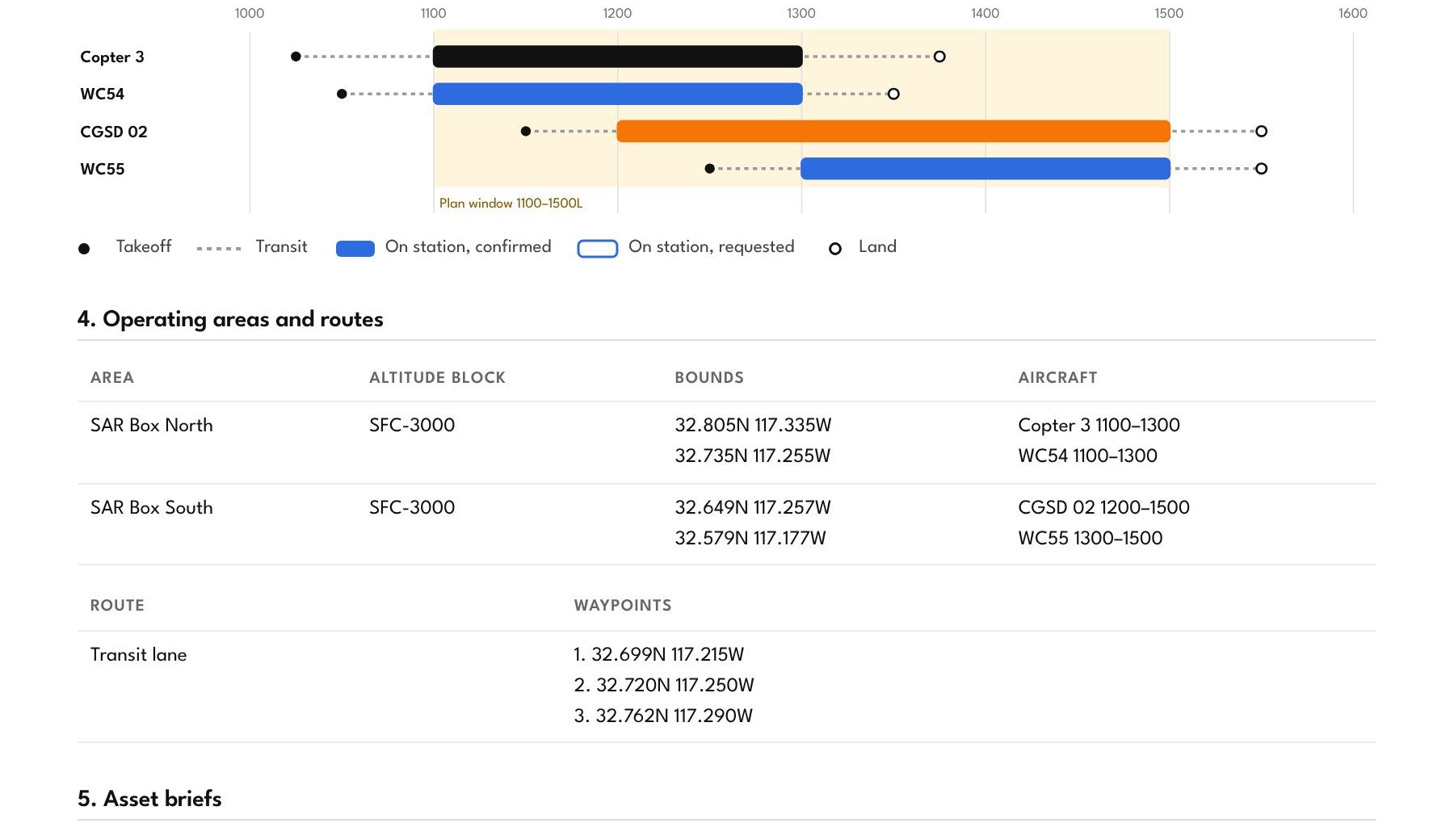
One click turns the plan into a document crews and commanders can read: a visual product and the details behind it. Print it or save it as a PDF.
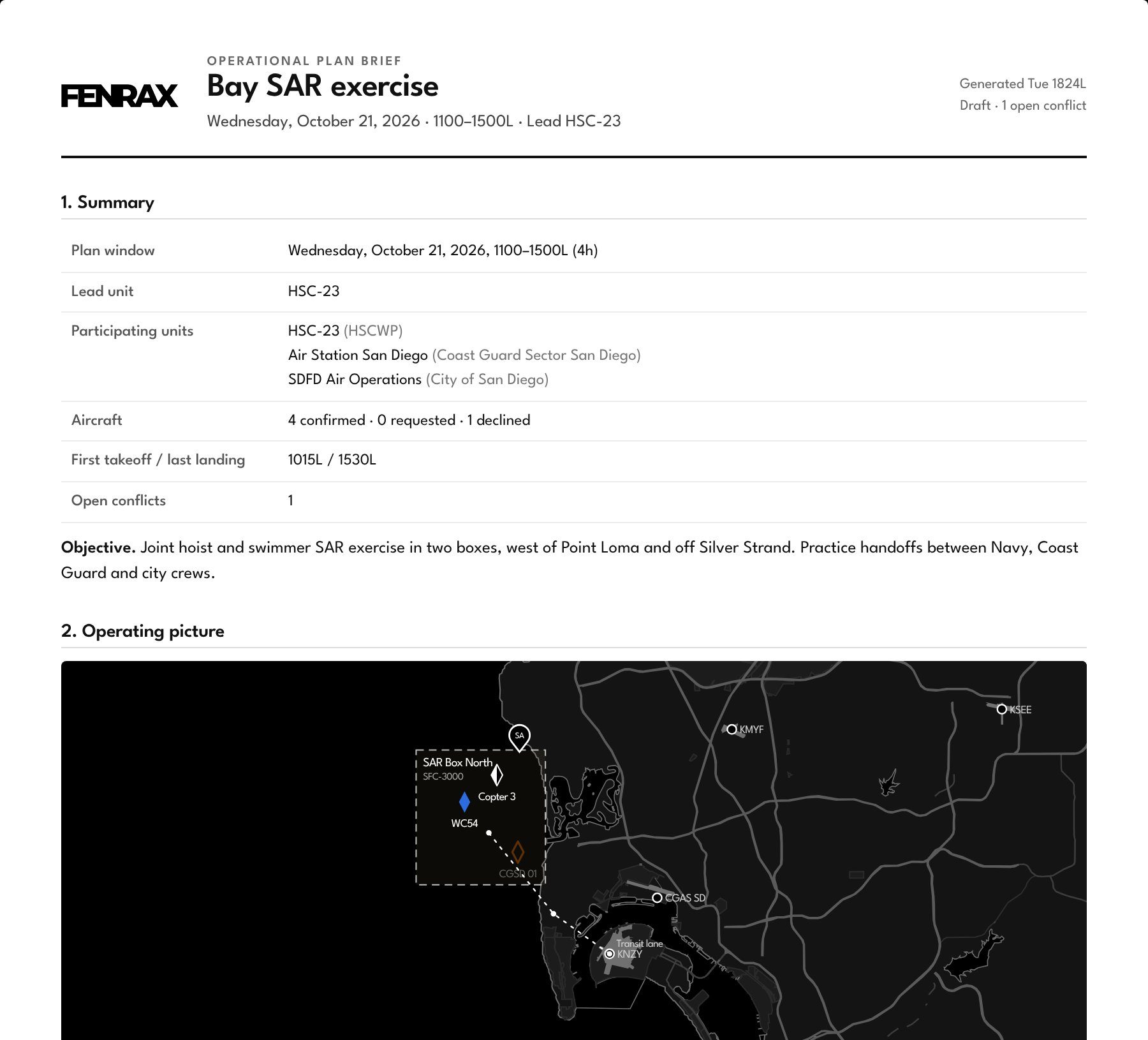
- Summary: plan window, lead unit, participating units, aircraft and open conflicts
- Operating picture: map product with areas, routes, aircraft and airports
- Timeline: takeoff, transit, time on station and landing for each sortie
- Operating areas and routes, with coordinates and assigned aircraft
- Asset briefs: task, times, bases, altitude, fuel, comms and capabilities
- Comms plan
- Coordination: open conflicts and comment threads
How it works
From schedule to brief.
Post
Each unit uploads its flight schedule PDF whenever it changes. Fenrax-1 reads the aircraft and windows; the unit checks and publishes.
See
Every partner sees live tracks next to planned windows across the region, with flags when the two disagree.
Plan
A unit opens a plan, invites partner units and builds the operation with them on one canvas.
Brief
The plan becomes a brief with the map, the timeline and every sortie's details, ready to hand to crews.
Who it's for
Public agencies at every level.
Local, state and federal aviation units in one picture. Each unit holds its own account, posts only its own schedule and decides which of its aircraft join a plan.
Run it yourself.
The demo runs on simulated San Diego data. Sign in with profile HSC-23 and any password, open Planning, and watch partner units work the plan live.